
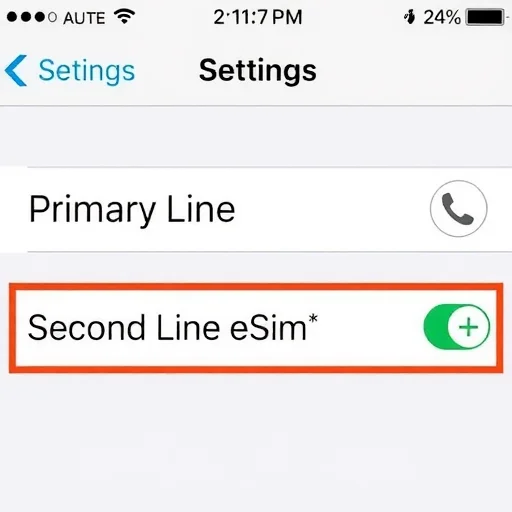
A Second Line, Phone Number, and eSIM – Here’s How to Set It All Up
If you’ve ever wanted a second phone number—for work, for travel, for online privacy, or to separate different parts of your life—you’ve probably assumed it would require a second physical SIM card, a second phone, or at least a trip to a carrier store. That’s no longer the case. With eSIM technology, you can add a second line and phone number to your existing device in minutes, often without leaving your couch. In this guide, I’ll walk you through everything you need to know about getting a second line using eSIM: what your options are, how to set it up, and how to choose the right solution for your specific needs.
Let’s start with the basics. A second line is simply an additional phone number that operates alongside your primary number on the same device. With eSIM (embedded SIM), you can add this second line as a digital profile on your phone. Most modern smartphones support eSIM—iPhones from the XS onward, Google Pixels from the 3 onward, and recent Samsung Galaxy flagships. Once installed, your second line can be used for calls, texts, and data just like your primary line. You can have both lines active simultaneously, and you can choose which line to use for different purposes. The flexibility is remarkable, and the setup is surprisingly simple.
So why would you want a second line? Let me give you the most common and practical reasons. First, work-life separation: you can have a work number on your personal phone, and turn it off after hours. No more carrying two devices. Second, travel: you can add a local eSIM with a local number or data plan while keeping your home number active, saving hundreds on roaming fees. Third, privacy: you can use a second number for online marketplaces, dating apps, or any situation where you don’t want to give out your primary number. Fourth, business: freelancers and small business owners can have a dedicated business number without paying for a second phone. Fifth, testing: you can try a new carrier risk-free by adding a second line before porting your primary number.
Let’s dive into each of these scenarios, because the right way to get a second line depends entirely on how you plan to use it.
First up: work-life separation. If your employer offers eSIM support, they may provide you with a QR code or an invitation through their carrier app. You scan the code, and within minutes, you have a work number on your personal phone. You can label it “Work” in your settings. You can set it to use your company’s voicemail system. And crucially, you can turn it off after hours—either manually or automatically through your phone’s Do Not Disturb settings—so work calls don’t intrude on your personal time. This setup eliminates the need to carry two phones, which for many professionals is a huge quality-of-life improvement.
If your employer doesn’t provide a work line, or if you’re self-employed, you can still add a second line for business using a consumer prepaid eSIM. In the US, carriers like T-Mobile, Verizon, and AT&T offer prepaid eSIM plans that you can activate entirely online. You choose a plan, provide your information, and they push the eSIM to your phone via their app or email you a QR code. You end up with a second phone number on your device, with its own data allowance, and you pay a separate monthly bill. For freelancers, consultants, and small business owners, this is an easy way to have a dedicated business number without the overhead of a second device.
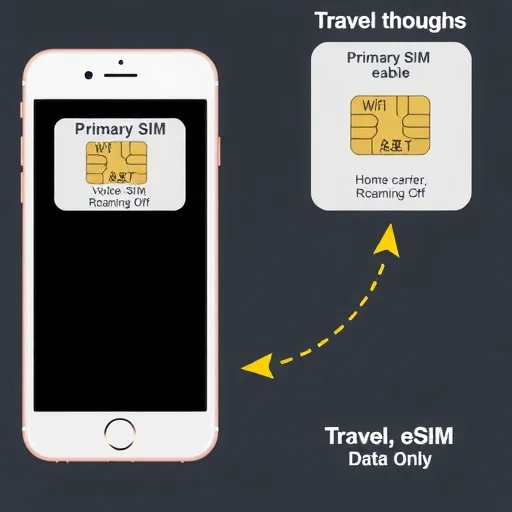
Now let’s talk about travel. This is where a second line using eSIM really shines. When you travel internationally, you can add a second line in the form of a travel eSIM from a global provider like Airalo, Holafly, or Nomad. These eSIMs give you a data plan (and sometimes a local phone number) in your destination country. You keep your primary line active for calls and texts (with data roaming turned off to avoid charges), and you use the travel eSIM as your data line. Your phone will use the travel eSIM for all your apps, maps, and internet needs. Meanwhile, your primary number remains reachable. If your phone supports Wi-Fi calling, you can even answer calls to your home number over the travel eSIM’s data connection, completely avoiding roaming fees.
Let’s walk through a concrete example. Maria is traveling from the US to Italy for two weeks. Her home carrier charges $10 per day for international roaming. Instead, she keeps her primary line active for calls and texts but turns off data roaming. She buys a 10GB Italy eSIM from a global provider for $25. She installs it on her phone before she leaves. When she lands in Rome, she sets the Italy eSIM as her data line. During her trip, she uses the eSIM for Google Maps, Instagram, WhatsApp, and everything else. Her US number remains active, so her family can still reach her. She even enables Wi-Fi calling, which routes calls to her US number over the Italy eSIM’s data connection—no roaming charges. Total connectivity cost: $25, compared to $140 if she had roamed. And she never had to visit a mobile shop or swap a physical SIM card.
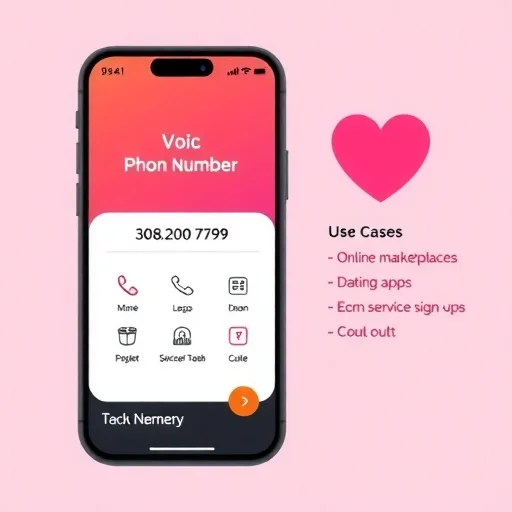
The third major use case is privacy and online safety. When you’re signing up for online services, selling items on marketplace apps, or using dating apps, you may not want to give out your primary phone number. A second line solves this. You can get a second number from a VoIP app like Google Voice (free in the US), Hushed, or Burner. These apps give you a phone number that works over your existing data connection or Wi-Fi. You can make and receive calls and texts through the app. The number is separate from your primary line, and you can even discard it if it starts receiving spam. The trade-off is that VoIP numbers sometimes don’t work for two-factor authentication from banks or certain services, but for general privacy and online interactions, they’re perfect.
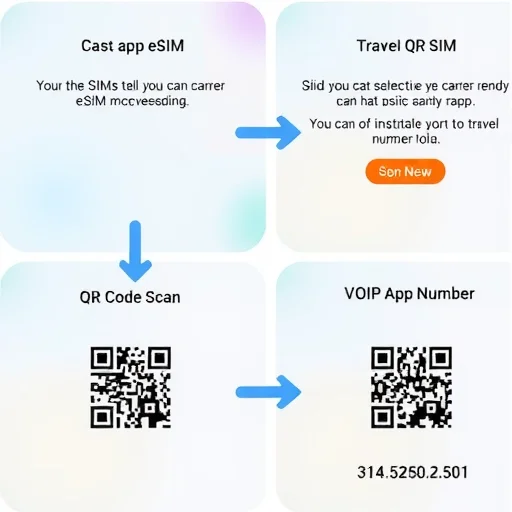
Now let’s talk about the different ways to get a second line with eSIM, because the options vary in cost, features, and complexity.
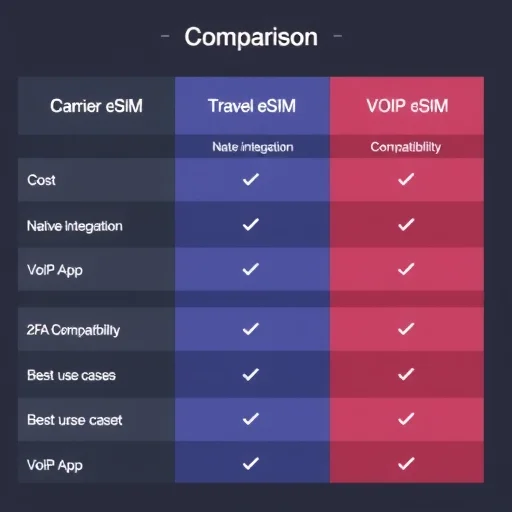
The first option is a traditional carrier eSIM. This gives you a full-service second line with a real mobile number, native dialer integration, and cellular data. You get all the features of a regular phone line, including SMS, MMS, and compatibility with two-factor authentication from any service. The cost is typically $15 to $50 per month for a prepaid plan, depending on data allowance. This is the best option if you need a permanent second line for work, business, or ongoing use.
The second option is a travel eSIM from a global provider. These are designed for short-term use—usually 7 to 30 days. They are data-focused; some include a local phone number, some do not. They integrate with your phone’s native settings, so they work seamlessly for data. They don’t usually have a monthly subscription; you pay once for a fixed data allowance and validity period. Prices range from $5 for a small data pack to $50 for a large data pack covering multiple countries. This is the best option for travelers who want to avoid roaming fees.
The third option is a VoIP app second number. These are not eSIMs—they’re apps that provide a phone number over your existing data connection. They are often free or low-cost (a few dollars per month). They work well for privacy and secondary communication, but they don’t integrate with your phone’s native dialer (you use the app to call and text), and some services won’t accept VoIP numbers for verification. This is the best option for a low-cost second number that you don’t rely on for critical two-factor authentication.
Now let’s walk through the actual setup process for each option, because once you know the steps, getting a second line is remarkably straightforward.
For a carrier eSIM, you’ll typically use the carrier’s app. Download the app (for example, T-Mobile Prepaid, Verizon Prepaid, or AT&T Prepaid), select a plan, and during the activation process, you’ll be given the option to install an eSIM. The app will push the eSIM profile to your phone. Follow the prompts, and within minutes, the second line will appear in your phone’s cellular settings. You can then rename it to something meaningful like “Work” or “Business.” Under Settings > Cellular, you’ll see both lines. You can choose which line is used for data, which is the default voice line, and which is used for iMessage and FaceTime (on iPhone).
For a travel eSIM, you’ll use a global provider’s app. Download the app (Airalo, Holafly, Nomad, etc.), select a plan for your destination, purchase it, and the app will guide you through installation. You’ll typically scan a QR code or use a direct installation link. Once installed, the travel eSIM appears as a new line in your settings. You can set it as your data line while keeping your primary line for calls and texts. Remember to turn off data roaming on your primary line to avoid accidental charges.
For a VoIP app second number, you don’t need eSIM at all. Simply download the app (Google Voice, Hushed, Burner, etc.), sign up, choose a number, and start using it. The app will handle calls and texts over your existing data connection or Wi-Fi. You can use this number alongside your primary line without any changes to your phone’s cellular settings.
Let’s address some practical considerations. First, labeling your lines is important. On both iPhone and Android, you can rename your cellular lines. I recommend names like “Personal,” “Work,” “Travel,” or “Business” so you can quickly identify them. Second, understand how to switch between lines for calls. On iPhone, when you’re about to make a call, tap the current line at the top of the dialer to switch. On Android, you’ll usually see two call buttons or you can set a default per contact. Third, be aware of how your primary line behaves when you add a second line. If you’re traveling, make sure data roaming is off on your primary line. If you’re using a travel eSIM for data, your primary line may still incur charges for receiving texts or calls—check with your carrier.
One common question is about two-factor authentication (2FA). If you’re using a second line for banking or other critical accounts, a traditional carrier eSIM is your safest bet because it’s a “real” mobile number. VoIP numbers and some travel eSIMs (especially data-only ones) may not receive 2FA texts reliably. If you need a second line specifically for 2FA, stick with a carrier eSIM.
Another question is about cost. A carrier eSIM second line costs $15–$50 per month. A travel eSIM costs $5–$50 for a one-time use. A VoIP app can be free or a few dollars per month. The right choice depends on whether you need the line permanently, for a specific trip, or for occasional privacy use.
Let’s look at three real-world examples to tie everything together.
Emma is a project manager who wants to separate work from personal life. Her company supports eSIM, so she adds her work number as an eSIM on her personal iPhone. She labels it “Work.” During work hours, both lines ring. At 6 PM, she turns off the work eSIM in her settings. Her personal number remains active for family and friends. Total cost: $0 (company pays).
David is a freelance photographer traveling to Japan for three weeks. He keeps his primary T-Mobile line for calls and texts (data roaming off) and buys a 15GB Japan eSIM from a global provider for $30. He sets the Japan eSIM as his data line. During the trip, he uses it for maps, client communication, and uploading photos. His US number stays active, and he uses Wi-Fi calling for any calls back home. Total cost: $30, saving over $200 compared to roaming.
Sarah wants a second number for selling items on Facebook Marketplace and signing up for online services without giving out her primary number. She downloads Google Voice, gets a free number with her local area code, and uses it for all those purposes. She gives out the Google Voice number freely and keeps her primary number private. Total cost: $0.
In summary, getting a second line, phone number, and eSIM on your existing device has never been easier. Whether you need a work line, a travel line, a privacy number, or a business number, there’s an option that fits your needs and budget. Traditional carrier eSIMs give you a full-service second line for ongoing use. Travel eSIMs give you affordable, short-term connectivity for trips. VoIP apps give you a low-cost or free second number for privacy and online interactions. The setup is straightforward, the savings can be substantial, and the flexibility of having two lines on one device is something you’ll quickly wonder how you lived without. A second line and phone number can be added to your existing device using eSIM in three main ways: traditional carrier eSIM for a full-service permanent second line ($15–$50/month), travel eSIM for short-term data and local connectivity ($5–$50 per trip), or VoIP apps for a low-cost privacy number (often free). Choose based on whether you need ongoing work/business use, travel connectivity, or a secondary number for privacy and online interactions.
eSIMNumberFINISHED



I added a work eSIM to my personal phone and it’s been life-changing. No more carrying two phones, and I can turn off work calls after hours with one toggle. My employer provided it, so it cost me nothing. Highly recommend asking your company if they support eSIM.
I use Google Voice as my second line for anything that might generate spam—online shopping, Craigslist, etc. Keeps my primary number clean. Free and works perfectly for that purpose. Just don’t rely on it for bank 2FA codes.
The dual SIM setup with eSIM is so underrated. I have my primary line on physical SIM and my travel eSIMs for when I go abroad. Never swap cards, never lose service. Best feature on modern phones.
One thing to note: if you’re adding a second line for business and need to deduct the cost, a carrier eSIM with a separate bill is easier to track than a VoIP app. My accountant loves the clear separation.
Travel eSIM as a second line saved me so much money on my Europe trip. Kept my US number active for iMessage and calls over Wi-Fi, used a local eSIM for data. Three weeks, total cost $35. My friend who roamed paid $210. Insane difference.