
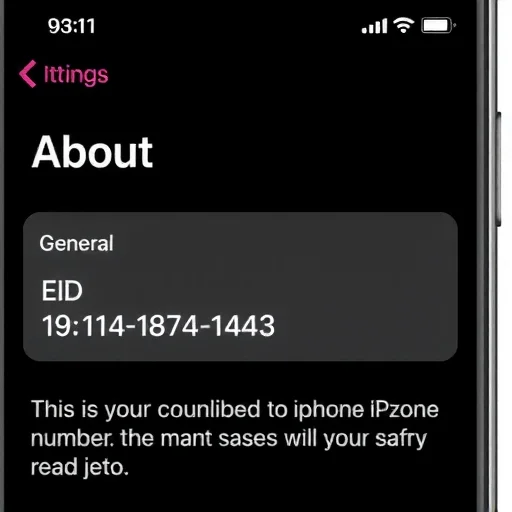
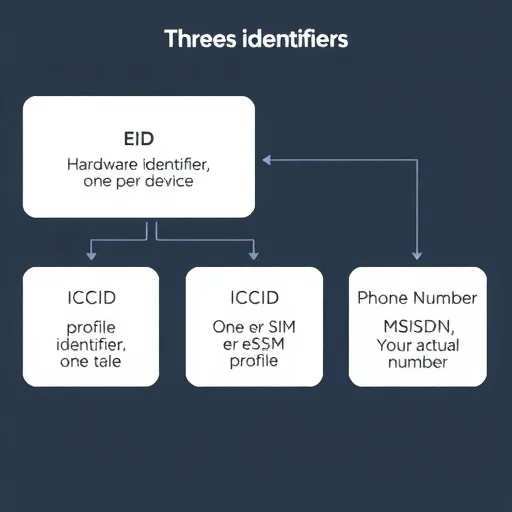
If you’ve recently set up an eSIM on your phone, you may have noticed a long string of numbers—typically 19 digits—and wondered what it is, whether you need to keep it, and what it’s used for. This 19-digit number is known as the eSIM’s EID (Embedded ID), which is essentially the serial number of the eSIM chip built into your phone. Understanding what this number is, when you need it, and how it differs from your phone number or ICCID can save you time and confusion when setting up an eSIM for travel or switching carriers. In this guide, I’ll explain in detail what the 19-digit eSIM number is, why it matters, and when you’ll actually need to use it. First, let’s clarify what we’re talking about. When people refer to an “eSIM number,” they usually mean one of three different identifiers, and confusion between them is common. The 19-digit number you see in your phone’s settings is the EID (eSIM ID). This is a unique identifier embedded in your phone’s hardware that identifies the actual eSIM chip itself. It is not your phone number, nor is it the ICCID (Integrated Circuit Card Identifier) you might be familiar with from a physical SIM card. The EID is permanent and tied to your device—it doesn’t change when you switch carriers or download a new eSIM profile.

Why does this 19-digit number exist? The EID functions similarly to a physical SIM card’s serial number, but for embedded eSIM chips. Carriers and eSIM providers use it during service activation to identify your device’s eSIM hardware. When you register for an eSIM plan with a carrier, they may ask for your EID to generate a profile specifically tied to your device—a process especially common when activating directly with a traditional carrier rather than through an app-based global provider. The EID ensures the eSIM profile being downloaded is encrypted and bound to the correct device, adding a layer of security to the activation process. Now, let’s distinguish the EID from other numbers you might encounter. The ICCID is the identifier for a specific eSIM profile—think of it as the serial number of the particular SIM profile you’ve downloaded. If you have multiple eSIM profiles on your phone, each will have its own ICCID. The EID, on the other hand, identifies the eSIM hardware itself, and each device has only one. Your phone number is the MSISDN (Mobile Station International Subscriber Directory Number)—the number people dial. These three identifiers serve different purposes, and confusing them can lead to frustration when trying to activate a new eSIM.
So, when do you need the 19-digit EID? The answer depends on how you obtain your eSIM. If you purchase an eSIM through an app from global providers like Airalo, Holafly, or Nomad, you’ll rarely need the EID. These services generate eSIM profiles that are downloaded via QR codes or installed directly through their apps, and they don’t require you to manually enter your EID. The process is automated and designed to be as simple as possible. If you activate your eSIM directly with a traditional carrier—such as switching your primary line from a physical SIM to an eSIM with Verizon, T-Mobile, or a carrier in another country—you may be asked to provide your EID. This is especially common when requesting an eSIM via phone, chat support, or through the carrier’s website. Your carrier uses your EID to generate a profile uniquely bound to your device, ensuring the eSIM can’t be installed on another phone. Having your EID handy can significantly speed up the process in these cases. Let’s look at a typical scenario. Sarah wants to switch her physical SIM from AT&T to an eSIM so she can use a travel eSIM without swapping cards. She logs into her AT&T account online and requests the eSIM conversion. The website asks for her device’s EID. She goes to her iPhone’s Settings > General > About, scrolls down to find the EID field (a 19-digit number), copies and pastes it into the site. Within minutes, AT&T pushes the eSIM profile to her phone, and she installs it. The entire process takes less than 10 minutes, and she doesn’t have to visit a store or wait for a physical SIM to arrive by mail.
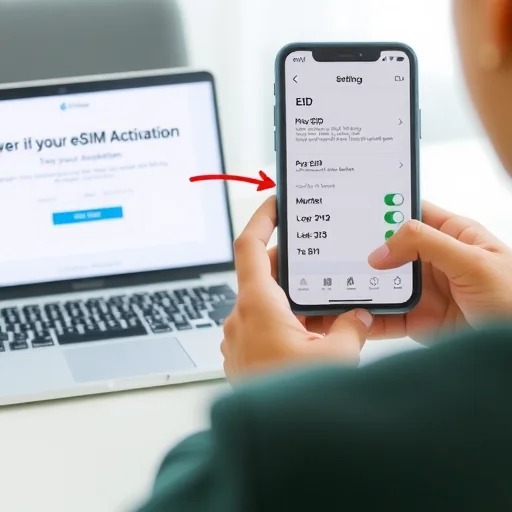
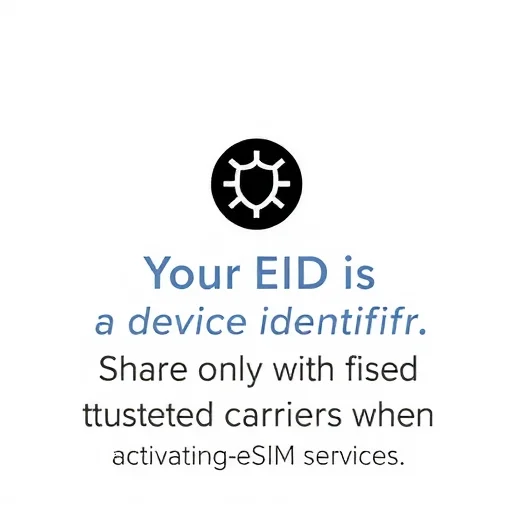
Another situation where you might need the EID is when setting up an eSIM for screenless devices, such as a cellular iPad or a smartwatch. In these cases, you’ll typically need to provide your EID to the carrier so they can generate the correct profile. The process is similar: you find the EID in your device’s settings (sometimes printed on the box), give it to the carrier, and they activate the eSIM remotely. What about travel eSIMs? For most travel eSIMs purchased through apps, you won’t need the EID at all—the app handles everything behind the scenes. However, there are exceptions. In some countries, certain carriers still require the EID to activate a prepaid eSIM, especially if you’re activating through their website rather than an app. If you’re buying a local eSIM online from a carrier in your destination country, check whether they ask for the EID at checkout. If they do, having it ready will make the process smoother. Let’s talk about privacy and security. Your EID isn’t as sensitive as your password or credit card number, but it shouldn’t be shared freely. If a malicious actor gains access to your carrier account, the EID—combined with other information—could potentially be used to activate an eSIM on your device without your consent. In practice, carriers usually require additional verification (such as an account PIN or two-factor authentication) before issuing a new eSIM using your EID. Still, it’s good practice to treat the EID like a device serial number—only share it with trusted carriers and providers when necessary.
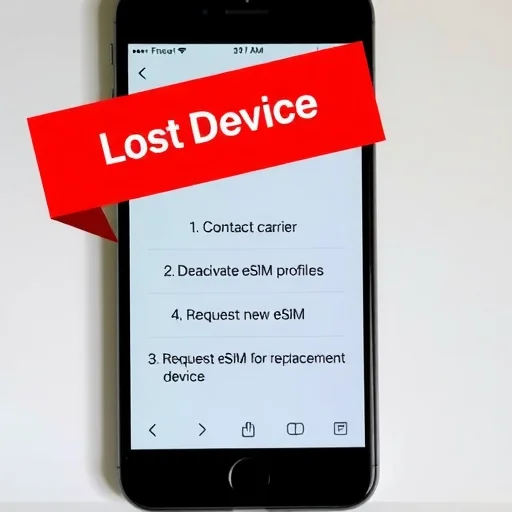
A common point of confusion is that the EID sometimes appears in different formats. While it’s usually 19 digits, some devices may display it with spaces or dashes for readability. The actual number is a string of digits, and when providing it to a carrier, you can usually enter it with or without formatting—the system will strip it out. On iPhone, you can tap and hold the EID to copy it, which copies the raw digits without formatting—the easiest way to ensure you’re providing the correct information. What if you can’t find your EID? On iPhone, go to Settings > General > About and scroll down. You’ll see an entry labeled “EID” with a long number. On Android, the location varies by manufacturer but is usually under Settings > About Phone > Status Information, or sometimes in Settings > Connections > SIM Card Manager. If you can’t find it, searching for your device model name plus “find EID” in a search engine will usually give you the exact path. Let’s address a few more practical questions. If I reset my phone to factory settings, will the EID change? No—the EID is hardware-based and permanent. It remains the same no matter how many times you reset the device. If I transfer my eSIM to a new phone, do I need the new phone’s EID? Yes—when transferring an eSIM, the new device’s EID is used to generate a new profile. That’s why the eSIM transfer option works seamlessly when setting up a new iPhone: it reads the new device’s EID and handles carrier communication in the background. What if I lose my phone? Your EID is tied to that specific device. If your phone is lost or stolen, you should contact your carrier to deactivate any eSIM profiles on the device. The EID itself isn’t something a thief can use to access your account without additional authentication.
For travelers, knowing your EID is most useful when you need to activate a local carrier eSIM remotely. Many airlines in Europe and Asia now allow tourists to purchase and activate eSIMs online before arrival, with some processes requiring the EID at checkout. Saving your EID in a note or screenshot before traveling lets you breeze through unfamiliar websites on small screens without digging into your phone’s settings. In summary, the 19-digit eSIM number (EID) is your device’s eSIM hardware identifier. Carriers use it to securely generate eSIM profiles and deliver them to your specific device. You’ll need it when converting a physical SIM to an eSIM with your home carrier, setting up an eSIM on a secondary device like a cellular iPad, or activating a local carrier eSIM via a website instead of an app. For most travel eSIMs purchased through global apps, you won’t need it at all. Knowing where to find it and what it’s used for can make eSIM activation smoother and less confusing. The 19-digit eSIM number (EID) is your device’s permanent eSIM hardware identifier, used by carriers to securely generate eSIM profiles and send them to your specific phone. You’ll need it when converting a physical SIM to an eSIM with your home carrier, activating an eSIM on a secondary device, or buying a local carrier eSIM online. For most app-based travel eSIMs, you won’t need it. Find it on iPhone under Settings > General > About, or on Android under SIM card settings.
提醒一下:如果你在网上购买当地的eSIM旅行,一些网站会要求你提供EID。我站在机场航站楼时不得不找到它。在旅行前,请为您的EID截图,以便您随身携带。真希望我能想到这一点。
我多次使用Airalo和Nomad的eSIM,从未需要过我的EID。只有在使用T-Mobile将我的主线从物理SIM卡切换到eSIM时才需要它。所以,如果你只是从应用程序中获得旅行eSIM,不要担心。
我不知道EID是什么,直到我试图用我的运营商将我的物理SIM卡转换为eSIM。支持代表要求这样做,我完全迷路了。现在我知道在哪里可以找到它了——设置>通用>关于。已将其保存在我的笔记中,以备下次使用。
小心与谁分享你的EID。我听说有人在论坛上分享它,然后遇到未经授权的激活问题。只有在您正在进行设置时,才能将其交给您的运营商或值得信赖的eSIM提供商。
EID与ICCID的混淆是真实存在的。我试图为我的一次旅行eSIM向承运人提供我的ICCID,他们要求提供EID。现在我知道区别了。很棒的解释者。