
What Is That 19-Digit eSIM Number? Here’s What You Need to Know
If you’ve recently set up an eSIM on your phone, you might have noticed a long string of numbers—typically 19 digits—and wondered what it is, whether you need to keep it, and what it’s used for. That 19-digit number is called the eSIM’s EID (Embedded Identity Document), and it’s essentially the serial number for the eSIM chip built into your phone. Understanding what this number is, when you might need it, and how it differs from your phone number or ICCID can save you time and confusion when setting up eSIMs for travel or switching carriers. In this guide, I’ll break down exactly what the 19-digit eSIM number is, why it matters, and when you’ll actually need to use it.
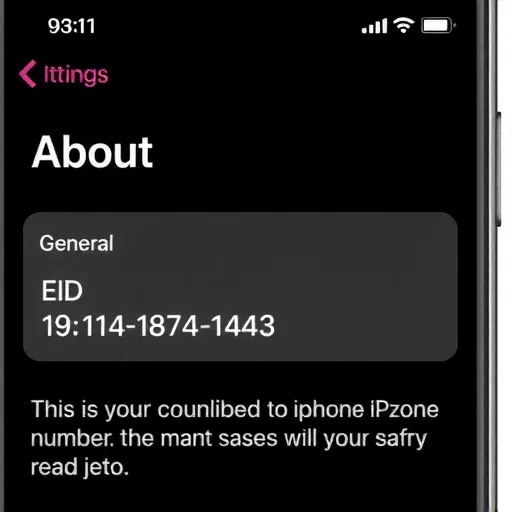
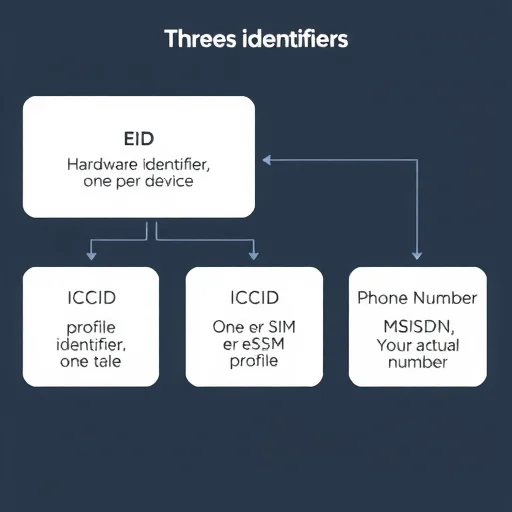
First, let’s clarify what we’re talking about. When people say “eSIM number,” they’re often referring to one of three different identifiers, and confusing them is common. The 19-digit number you see in your phone’s settings is the EID (eSIM ID). This is a unique identifier embedded in your phone’s hardware that identifies the actual eSIM chip itself. It is not your phone number, and it is not the ICCID (Integrated Circuit Card Identifier) that you might be familiar with from physical SIM cards. The EID is permanent and tied to your device—it doesn’t change when you switch carriers or download new eSIM profiles.

So why does this 19-digit number exist? The EID serves a similar purpose to the serial number of a physical SIM card, but for the embedded eSIM chip. It’s used by carriers and eSIM providers to identify your device’s eSIM hardware when activating service. When you sign up for an eSIM plan with a carrier, they may ask for your EID to generate a profile that is specifically tied to your device. This is especially common when activating eSIMs directly with traditional carriers rather than through app-based global providers. The EID ensures that the eSIM profile being downloaded is encrypted and bound to the correct device, adding a layer of security to the activation process.
Now, let’s distinguish the EID from other numbers you might encounter. The ICCID is the identifier for a specific eSIM profile—think of it like the serial number of a particular SIM card profile that you’ve downloaded. If you have multiple eSIM profiles on your phone, each one has its own ICCID. The EID, on the other hand, is the identifier for the eSIM hardware itself, and there’s only one per device. Your phone number is the MSISDN (Mobile Station International Subscriber Directory Number), which is the number people dial to reach you. These three identifiers serve different purposes, and confusing them can lead to frustration when trying to activate a new eSIM.
So when do you actually need your 19-digit EID? The answer depends on how you’re getting your eSIM. If you’re purchasing an eSIM from a global provider like Airalo, Holafly, or Nomad through their app, you almost never need your EID. These services generate eSIM profiles that are downloaded using a QR code or direct installation through their app, and they don’t require you to manually provide your EID. The process is automated and designed to be as simple as possible.
If you’re activating an eSIM directly with a traditional carrier—say, switching your primary line from a physical SIM to eSIM with Verizon, T-Mobile, or a carrier in another country—you may be asked for your EID. This is especially common when activating over the phone, through chat support, or when using a carrier’s website to request an eSIM. The carrier uses your EID to generate a profile that is uniquely tied to your device, ensuring that the eSIM can’t be installed on another phone. In these cases, having your EID handy can speed up the process significantly.
Let’s walk through a typical scenario. Sarah wants to convert her physical SIM from AT&T to an eSIM so she can use a travel eSIM without swapping cards. She logs into her AT&T account online and requests an eSIM conversion. The website asks for her device’s EID. She goes to Settings > General > About on her iPhone, scrolls down to find the EID field (it’s a 19-digit number), copies it, and pastes it into the website. Within minutes, AT&T pushes an eSIM profile to her phone, and she installs it. The entire process takes less than 10 minutes, and she never had to visit a store or wait for a physical SIM to arrive in the mail.
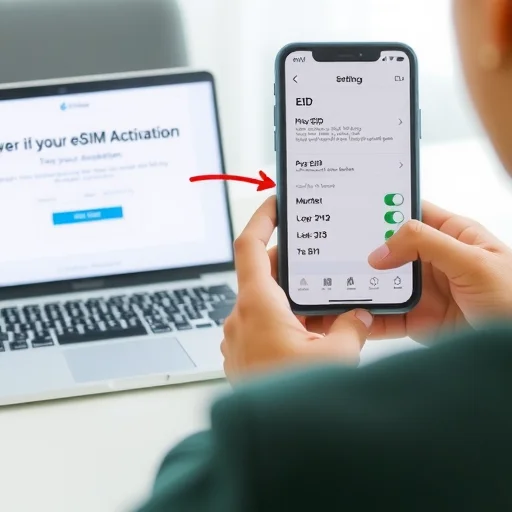
Another scenario where you might need your EID is when setting up an eSIM for a device that doesn’t have a screen, like a cellular iPad or a smartwatch. In these cases, you often need to provide the EID to your carrier so they can generate the correct profile. The process is similar: you find the EID in the device’s settings (or sometimes printed on the box), provide it to the carrier, and they activate the eSIM remotely.
What about travel eSIMs? For most travel eSIMs purchased through apps, you won’t need your EID at all. The app handles everything behind the scenes. However, there are exceptions. Some carriers in certain countries still require EID for prepaid eSIM activation, especially if you’re doing it through their website rather than an app. If you’re buying a local eSIM online from a carrier in your destination country, check whether they ask for EID during checkout. If they do, having it ready will make the process smoother.
Let’s talk about privacy and security. Your EID is not a secret like your password or credit card number, but it’s also not something you should share indiscriminately. The EID, combined with other information, could potentially be used to activate an eSIM on your device without your consent if a malicious actor had access to your carrier account. In practice, carriers typically require additional verification (like account PIN or two-factor authentication) before using an EID to issue a new eSIM. Still, it’s good practice to treat your EID with the same care you’d treat your device’s serial number—share it only with trusted carriers and providers when necessary.
One common point of confusion is that the EID can sometimes appear in different formats. While it’s typically 19 digits, some devices may show it with spaces or dashes for readability. The actual number is a string of digits, and when providing it to a carrier, you can usually enter it with or without spaces—the system will strip them out. On iPhones, you can tap and hold the EID to copy it, which copies the raw number without formatting. This is the easiest way to ensure you’re providing the correct information.
What if you can’t find your EID? On iPhones, go to Settings > General > About, then scroll down. You’ll see an entry labeled “EID” with a long number. On Android devices, the location varies by manufacturer, but it’s usually under Settings > About Phone > Status Information, or sometimes in Settings > Connections > SIM Card Manager. If you’re having trouble finding it, searching your device model name plus “find EID” in a search engine will usually give you the exact path.
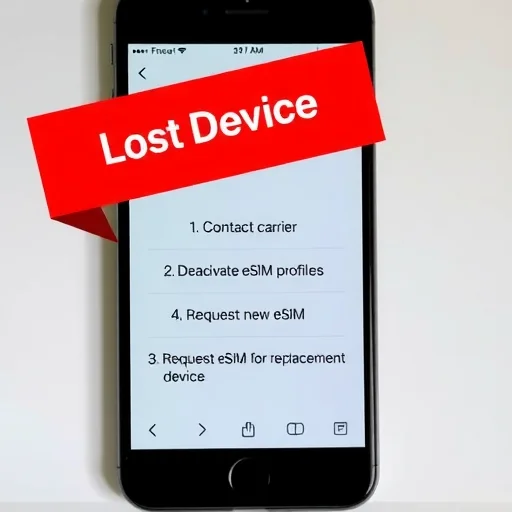
Let’s address a few more practical questions. Does the EID change if I factory reset my phone? No, the EID is hardware-based and permanent. It remains the same regardless of how many times you reset the device. If I transfer my eSIMs to a new phone, do I need the EID of the new phone? Yes—when transferring eSIMs, the new device’s EID is used to generate new profiles. That’s why when you set up a new iPhone, the transfer eSIM option works seamlessly: it reads the new device’s EID and handles the carrier communication in the background. What if I lose my phone? Your EID is tied to that specific device. If your phone is lost or stolen, you should contact your carrier to deactivate any eSIM profiles on that device. Your EID itself isn’t something a thief can use to access your accounts without additional authentication.
For travelers, understanding the EID is most useful when you need to activate a local carrier eSIM remotely. Many European and Asian carriers now allow tourists to purchase and activate eSIMs online before arrival, and some of these processes require the EID during checkout. Having your EID saved in a note or screenshot before you travel can save you from having to dig through your phone’s settings while navigating an unfamiliar website on a small screen.
In summary, the 19-digit eSIM number (EID) is your device’s eSIM hardware identifier. It’s used by carriers to securely generate and deliver eSIM profiles to your specific device. You’ll need it most often when converting a physical SIM to eSIM with your home carrier, setting up an eSIM on a secondary device like a cellular iPad, or activating a local carrier eSIM through a website rather than an app. For most travel eSIMs purchased through global provider apps, you won’t need it at all. Knowing where to find it and what it’s used for can make eSIM activations smoother and less confusing. The 19-digit eSIM number (EID) is your device’s permanent eSIM hardware identifier, used by carriers to securely generate and deliver eSIM profiles to your specific phone. You’ll need it when converting a physical SIM to eSIM with your home carrier, activating eSIM on secondary devices, or purchasing local carrier eSIMs online. For most app-based travel eSIMs, you won’t need it. Find it in Settings > General > About on iPhone or under SIM card settings on Android.
I had no idea what the EID was until I tried to convert my physical SIM to eSIM with my carrier. The support rep asked for it and I was totally lost. Now I know where to find it—Settings > General > About. Saved it in my notes for next time.
The EID vs ICCID confusion is real. I was trying to give a carrier my ICCID for one of my travel eSIMs and they were asking for the EID. Now I know the difference. Great explainer.
Just a heads up: if you’re buying a local eSIM online for travel, some websites ask for your EID. I had to find it while standing in an airport terminal. Take a screenshot of your EID before you travel so you have it handy. Wish I’d thought of that.
Be careful who you share your EID with. I’ve heard stories of people sharing it on forums and then having issues with unauthorized activations. Only give it to your carrier or trusted eSIM provider when you’re actively setting something up.
I’ve used eSIMs from Airalo and Nomad multiple times and never needed my EID. Only needed it when switching my main line from physical SIM to eSIM with T-Mobile. So if you’re just getting travel eSIMs from apps, don’t worry about it.