
Should You Delete or Keep an eSIM After Travel? Here’s What You Need to Know
You’ve just returned from an international trip, and your phone still has the eSIM you used for data. Now you’re wondering: should you delete it or keep it? The answer isn’t one-size-fits-all. It depends on whether you plan to travel again soon, whether the eSIM can be reused, and how comfortable you are with having inactive plans lingering in your settings. This guide breaks down the pros and cons of deleting versus keeping an eSIM, and gives you clear steps for both options.
First, let’s understand what an eSIM actually is. Unlike a physical SIM card, an eSIM is a digital profile stored on your phone’s hardware. When you buy a travel eSIM, you download a profile that contains your plan’s details—data allowance, validity period, and network credentials. Once the plan expires or you’ve used all the data, the profile remains on your phone unless you remove it. It doesn’t consume battery or data while inactive, but it does take up a slot in your phone’s eSIM storage (most phones can store multiple eSIM profiles but only use one or two at a time).
So, when should you keep an eSIM? There are several good reasons. First, some eSIM providers allow you to top up or purchase a new plan using the same profile. If you travel to the same destination frequently—say, you visit Japan for work every few months—keeping an eSIM from a provider like Ubigi or Airalo means you can simply buy a new plan within the same app without reinstalling. This saves a few minutes of setup each trip. Second, if you’re traveling again soon, keeping the eSIM ensures you don’t have to go through the installation process again. Third, some eSIMs remain valid for a long period—up to a year—even if you’re not actively using them. If your plan hasn’t expired, there’s no harm in keeping it until you need it.
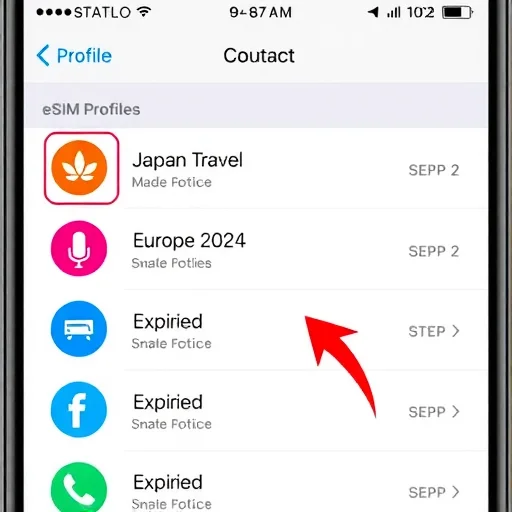
When should you delete an eSIM? The most common reason is organization. If you’ve accumulated multiple eSIM profiles from past trips—Japan, Thailand, Europe, etc.—your list can become cluttered. Deleting old, expired plans keeps your settings clean and reduces the chance of accidentally selecting the wrong plan when you’re trying to activate a new one. Another reason is privacy: if you’re selling or handing over your phone, you’ll want to delete all eSIM profiles to ensure no one can reactivate them or access any associated information. Finally, if an eSIM is causing issues—like a profile that fails to activate or keeps prompting for configuration—deleting and reinstalling can sometimes resolve the problem.
Now, let’s talk about what happens when you delete an eSIM. Deleting an eSIM removes the profile from your phone entirely. You cannot recover it unless you have the original QR code or activation details from the provider. If you bought a plan that still has unused data or remaining validity, deleting the eSIM will make that data inaccessible. So before deleting, always check whether your plan is still active. If it is, you might want to keep it until the validity expires.
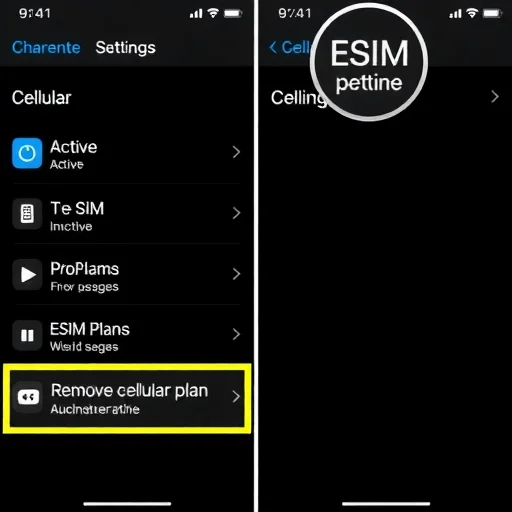
How do you delete an eSIM? On iPhone, go to Settings > Cellular. Under “Cellular Plans,” tap on the eSIM you want to remove. Scroll down and tap “Remove Cellular Plan.” Confirm. On Android, the steps vary slightly by manufacturer, but generally: go to Settings > Connections > SIM Manager. Tap on the eSIM you want to remove, then tap “Remove” or “Delete.” The profile will be removed immediately.
What about eSIMs that have expired? They don’t hurt anything sitting in your settings, but they also serve no purpose. Some people keep them as a record of where they’ve traveled; others prefer to clean house. There’s no wrong answer. If you’re the type who likes a tidy phone, go ahead and delete expired profiles. If you don’t mind them, leaving them there is perfectly fine.
One nuance: some eSIM providers allow you to keep the same “profile” (a digital container) and simply add new plans to it. For example, with Airalo’s “Global” eSIM, you can keep the profile installed and buy separate “top‑ups” for different regions. In this case, deleting the profile would mean losing the ability to easily add new plans. If you travel frequently and use a provider that offers this model, keeping the eSIM is the better choice.
I’ve personally taken both approaches. After a trip to Japan, I kept the Ubigi eSIM on my phone because I knew I’d return in a few months. When I landed the second time, I opened the app, bought a new plan, and it activated instantly—no QR code, no installation. It was incredibly convenient. After a trip to Mexico, however, I knew I wouldn’t be back for at least a year, so I deleted the eSIM to keep my settings list clean. Both choices were right for their circumstances.
If you’re unsure, here’s a simple rule of thumb: if you plan to return to the same destination within a year and the eSIM provider offers easy top‑ups, keep it. If you’re unlikely to revisit, or if the eSIM is from a provider that requires a fresh installation each time anyway, delete it. Also, if you’re at all concerned about privacy—for example, if you’re selling the phone—delete all eSIMs and perform a factory reset.
Now, let’s address a common question: does keeping old eSIMs affect battery life or performance? No. An inactive eSIM profile sits dormant. It doesn’t search for networks, consume data, or drain your battery. The only potential impact is if you have multiple eSIMs and accidentally leave one active without a plan—in that case, your phone might try to connect to a network and waste battery. But as long as you have your active line set correctly, old eSIMs are harmless.
Another consideration: if you’re traveling and using a local eSIM, you might later want to switch back to your home physical SIM or primary eSIM. After the trip, you can simply turn off the travel eSIM without deleting it. That way, if you need to reactivate it for a quick trip, it’s still there. This is a good middle ground: keep the profile but disable it. On iPhone, go to Settings > Cellular, tap the plan, and toggle off “Turn On This Line.” On Android, go to SIM Manager and toggle off the eSIM. It remains installed but inactive.
Ultimately, the choice between deleting or keeping an eSIM comes down to your travel patterns, your tolerance for digital clutter, and your privacy needs. There’s no technical downside to keeping them, and no major benefit to deleting them beyond organization. If you’re someone who likes a minimal settings menu, delete expired profiles. If you prefer convenience for future trips, keep them. And if you’re ever in doubt, you can always disable them without deleting, giving yourself time to decide later. Whether to delete or keep an eSIM depends on future travel plans and organization preferences. Keep it if you’ll revisit the destination soon or if the provider allows easy top‑ups; delete expired profiles to reduce clutter. Disabling an eSIM is a good middle ground—it stays installed but inactive. Always delete eSIMs before selling or giving away a phone.
TravelTechTipsFINISHED

I kept my Ubigi eSIM after a trip to Japan, and it was a game‑changer for my next visit. No need to scan a QR code again—just bought a new plan in the app and it worked instantly. Highly recommend keeping if you’re a repeat traveler.
I delete old eSIMs right after my trip. My settings menu is clean, and I never worry about accidentally selecting the wrong plan. Plus, I don’t travel often, so no need to keep them.
I keep them installed but disabled. That way I have the option to quickly re‑enable if I need them, but they don’t clutter my active lines. Best of both worlds.
When I sold my old phone, I deleted all eSIMs and did a factory reset. Made sure no one could access anything. Privacy first. Great advice in the guide.
Important tip: Before deleting, check if your eSIM still has unused data! I almost deleted one with 2GB left. Now I wait until the validity expires before deleting.