
What Is a SIM Card and How Does It Work? Here’s Everything You Need to Know
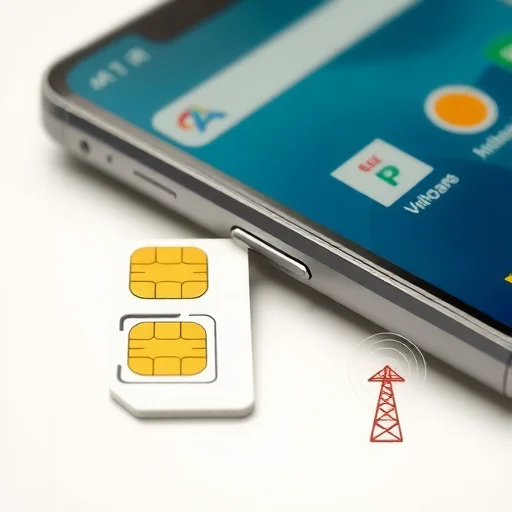
If you’ve ever bought a phone, switched carriers, or traveled internationally, you’ve probably handled a SIM card—that tiny plastic card that slips into your phone. But what exactly is a SIM card, what does it do, and why is it so important? A SIM (Subscriber Identity Module) card is a small, removable chip that securely stores your phone number, network credentials, and sometimes contacts. It’s what allows your phone to connect to a mobile network and make calls, send texts, and use data. This guide explains everything you need to know about SIM cards, from how they work to the different types available today.
First, let’s break down what a SIM card actually does. At its core, a SIM card is a mini‑computer that contains your unique subscriber information. When you insert a SIM into your phone, it authenticates you to your carrier’s network. The card holds your International Mobile Subscriber Identity (IMSI), which identifies you to the network, and a key that encrypts your communications. Without a SIM card (or an eSIM, which is the digital version), your phone cannot connect to a cellular network—it’s essentially a Wi‑Fi‑only device.

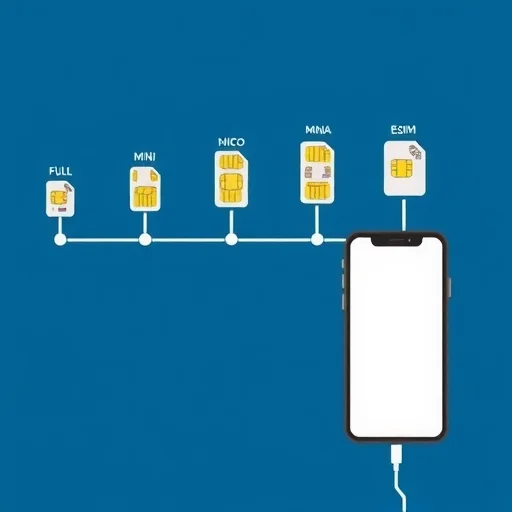
SIM cards come in different physical sizes. Over the years, they’ve shrunk from the size of a credit card (full‑size SIM) to the standard mini‑SIM (used in older phones), then to micro‑SIM, and now most commonly to nano‑SIM, which is the smallest. Most modern smartphones use nano‑SIM cards. Some phones also have a second SIM slot for dual‑SIM functionality, allowing you to use two numbers on one device.
Now, let’s talk about the evolution: physical SIM vs. eSIM. A physical SIM is the removable card you insert into your phone. An eSIM (embedded SIM) is a digital SIM built into your phone’s hardware. With an eSIM, you don’t need a physical card—you download a carrier profile over the air. eSIMs offer more flexibility, allowing you to store multiple carrier profiles and switch between them without swapping cards. Many newer phones support both a physical SIM and eSIM, or dual eSIMs.
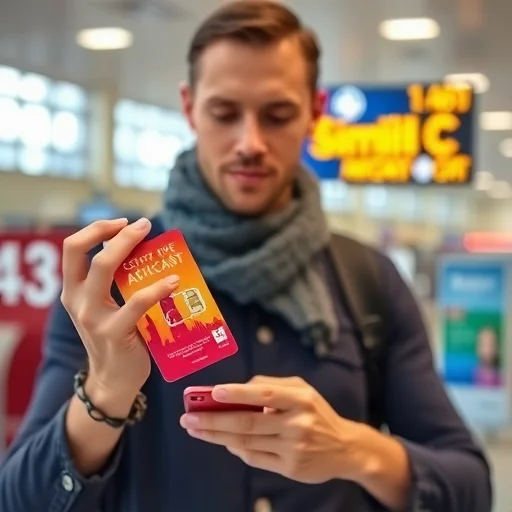
So, how do you get a SIM card? If you’re signing up with a carrier, they’ll typically provide a SIM card (physical or eSIM) when you activate your plan. If you’re traveling, you can buy a prepaid SIM card at the airport, convenience store, or carrier shop in your destination country. You can also order travel SIMs online before you go. For eSIMs, you can purchase a plan from a global provider like Airalo, Nomad, or Holafly and install it instantly via a QR code or app.
What about data? A SIM card itself doesn’t store your data usage—that’s managed by your carrier. But the SIM determines which network you connect to. When you buy a prepaid SIM for travel, you’re essentially buying a plan that gives you a set amount of data, calls, and texts, usually valid for a specific period like 7, 15, or 30 days.
Now, let’s address a common question: can you use any SIM card in any phone? Not exactly. Phones are often “locked” to a specific carrier, especially if you bought it through a carrier on a payment plan. A locked phone will only accept SIM cards from that carrier. To use a SIM from another carrier, your phone must be unlocked. You can usually request an unlock from your carrier once the phone is paid off. Most phones sold unlocked (like from Apple or Google) work with any SIM.
Another important concept: SIM cards and roaming. When you travel internationally, you can either use your home SIM with international roaming (often expensive) or buy a local SIM in your destination. A local SIM gives you a local number and data at local rates. For short trips, a travel eSIM is a convenient alternative—you install it before you leave, and it works upon arrival without hunting for a physical SIM.
Let’s look at a few scenarios.
**Scenario 1: Upgrading your phone.** You buy a new unlocked phone. You simply take the SIM card from your old phone and insert it into the new one. Your number and plan transfer immediately. If your new phone uses eSIM, you can transfer your carrier profile digitally.
**Scenario 2: International travel.** You’re going to Japan for 10 days. Instead of paying $10/day for international roaming, you buy a 10GB eSIM from Ubigi for $22. You install it before departure, and it activates when you land. You have fast data for maps, translation, and social media.
**Scenario 3: Dual‑SIM usage.** You have a work number and a personal number. You use your physical SIM for your personal line and an eSIM for your work line, or vice versa. You can set which line is used for data, calls, and messages.
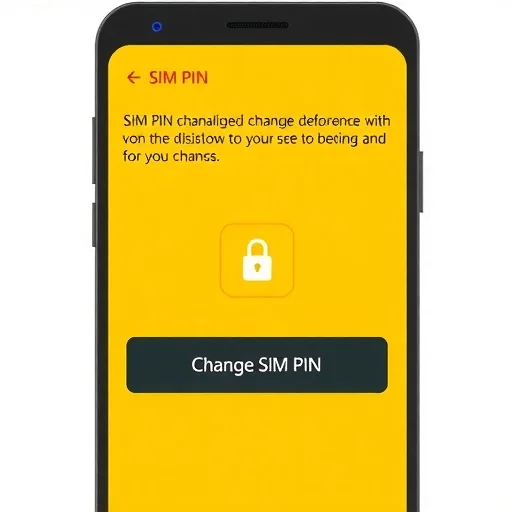
Now, let’s talk about SIM card security. SIM cards can be removed from a phone, so if your phone is stolen, someone could potentially take the SIM and use it to make calls or receive texts, including two‑factor authentication codes. This is why many security experts recommend using eSIMs when possible—eSIMs are embedded and cannot be physically removed. Additionally, you can set a SIM PIN in your phone’s settings to prevent unauthorized use if the SIM is removed and inserted into another phone.
What about storing contacts on a SIM? Older phones often stored contacts on the SIM. Modern smartphones store contacts in the cloud (iCloud, Google Contacts) or on the phone’s internal storage. If you have old SIM contacts, you can usually import them to your phone and then delete them from the SIM to clean up duplicates.
In summary, a SIM card is the small chip that connects your phone to a mobile network. It stores your subscriber information and allows you to make calls, send texts, and use data. Physical SIMs come in various sizes, while eSIMs offer a digital alternative with greater flexibility. Whether you’re getting a new phone, traveling abroad, or managing multiple lines, understanding how SIM cards work helps you stay connected efficiently and affordably. A SIM card (Subscriber Identity Module) is a small chip that authenticates your phone to a mobile network, enabling calls, texts, and data. Physical SIMs come in mini, micro, and nano sizes; eSIMs are digital and built into the phone. SIMs can be locked to a carrier or unlocked for flexibility. For travel, using a local SIM or eSIM is often cheaper than international roaming.
MobileConnectivityTipsFINISHED
The dual‑SIM feature on my iPhone is a lifesaver. I keep my home SIM for calls and use a travel eSIM for data when abroad. No more swapping SIMs. Highly recommend.
Important tip: If you’re traveling, don’t rely on international roaming from your home carrier. It’s expensive. Buy a local SIM or eSIM. I saved hundreds on a trip to Europe by doing that.
eSIMs are the future. I travel frequently and being able to buy a data plan online and install it before I leave is a game‑changer. No more fumbling with tiny cards at the airport.
I’ve been using the same physical SIM for years. When I upgraded to a new phone, I just popped it in. Simple and reliable. But after reading about eSIMs, I’m tempted to switch for travel convenience.
I didn’t know about SIM PIN until my SIM was stolen. Now I have it enabled. It’s a simple security measure that can save you a lot of headache if your phone is ever lost or stolen.