
What Are the Different SIM Card Sizes? Here’s How to Choose the Right One
If you’ve ever needed to replace a SIM card or move your service to a new phone, you’ve probably encountered the confusion of different SIM card sizes. There’s the standard SIM, the micro SIM, the nano SIM, and now eSIM—which has no physical size at all. The good news is that understanding these sizes is simple once you know the history and the dimensions. This guide explains each SIM card size, which phones use them, and how to ensure you get the right one for your device.
First, let’s start with the basics. A SIM (Subscriber Identity Module) card is a small chip that connects your phone to a mobile network. It stores your phone number, network authentication information, and sometimes contacts. Over the years, as phones have become thinner and more compact, the physical size of the SIM card has shrunk dramatically. The actual chip inside hasn’t changed much—it’s the surrounding plastic that has been trimmed down.
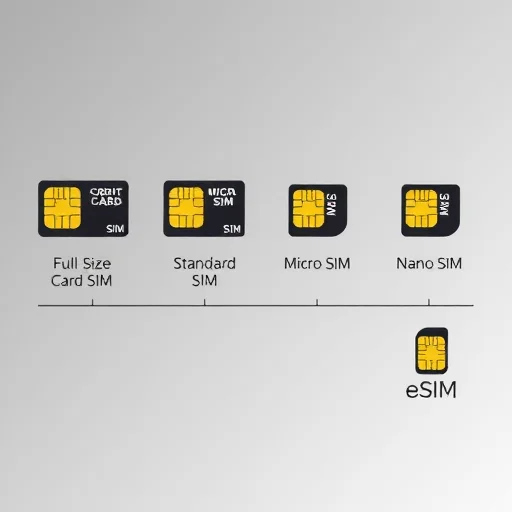
The original SIM card was the size of a credit card—85.6mm × 53.98mm. These were used in the earliest mobile phones, like the “brick” phones of the 1990s. You almost never encounter these today except in some industrial equipment or older car phones. They’re essentially a full‑size plastic card with the SIM chip embedded.
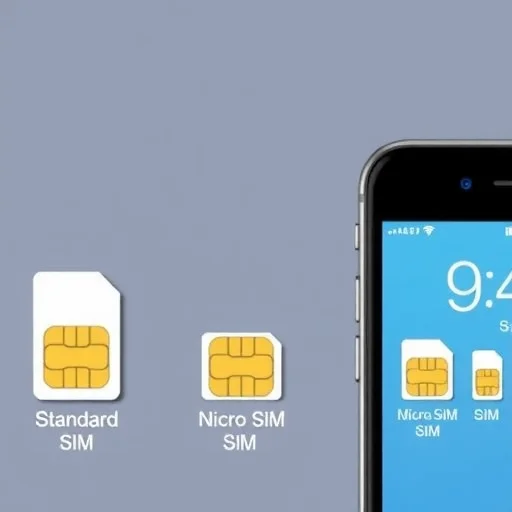
The **standard SIM** (sometimes called a mini SIM) was the next evolution. It measures 25mm × 15mm. This was the common size for many years, appearing in phones like the original iPhone, early Nokia models, and many feature phones. While it’s less common now, you’ll still find standard SIMs in some older devices and in multi‑size punch‑out cards.
The **micro SIM** came next, introduced around 2010. It measures 15mm × 12mm. It’s essentially a standard SIM with the extra plastic trimmed off. The micro SIM was used in phones like the iPhone 4 and 4S, the Samsung Galaxy S2 and S3, and many Android phones of that era. If you have a standard SIM, you can often punch it down to micro size using a SIM cutter or by pressing it out of a multi‑size card.
The **nano SIM** is currently the most common physical SIM size. It measures just 12.3mm × 8.8mm—almost entirely chip with a very small amount of plastic. The nano SIM was introduced in 2012 with the iPhone 5 and has since become the standard for virtually all modern smartphones that still have a physical SIM slot. If you have a recent iPhone (up to iPhone 13 in the US, or newer in other regions), or most Android phones from the last several years, you’re using a nano SIM.
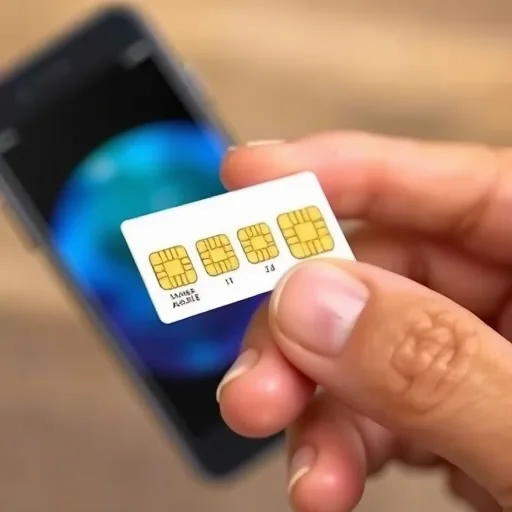
Now, let’s talk about **multi‑size SIM cards**. When you buy a prepaid SIM from a carrier, convenience store, or online, it often comes as a credit‑card‑sized card with a large plastic frame. Inside, you’ll find perforated outlines for standard, micro, and nano SIMs. You simply pop out the size that matches your phone. This is the most common way SIMs are sold today, ensuring that one card can work in almost any device. If you’re unsure what size your phone needs, a multi‑size SIM is the safest bet.
What about **eSIM**? eSIM stands for embedded SIM. It’s not a physical card at all. Instead, it’s a digital SIM profile embedded directly into your phone’s hardware. You don’t insert anything. Instead, you download a carrier profile via a QR code or app. eSIMs are becoming increasingly common. In the US, iPhone 14 and later models are eSIM‑only—they have no physical SIM tray. Many other phones, like Google Pixels and recent Samsung Galaxy flagships, support eSIM alongside a physical SIM slot. For eSIM, the concept of “size” doesn’t apply—it’s purely digital.
Now, how do you know which size your phone uses? The easiest way is to check your phone’s specifications. For iPhones, the iPhone 4 and 4S use micro SIM; the iPhone 5 through iPhone 13 use nano SIM; iPhone 14 and later in the US use eSIM only (no physical slot), while in other regions they still have a nano SIM tray. For Samsung, the Galaxy S3 uses micro SIM; the S4 and later use nano SIM. For Google Pixels, the Pixel 1 through Pixel 5 use nano SIM; newer models support nano SIM and eSIM. If you’re unsure, you can also remove your current SIM and measure it against online size guides—or simply buy a multi‑size SIM that covers all bases.
What if you have a SIM card that’s too big for your phone? You have a few options. If your SIM is a multi‑size card, you can pop out the smaller size. If it’s a single‑size standard SIM, you can use a SIM cutter—a small device that punches the card down to micro or nano size. SIM cutters are inexpensive and widely available. Alternatively, you can visit a carrier store, and they can often trim your SIM or replace it with the correct size. Some carriers also offer adapters to use a smaller SIM in a larger slot.
If your SIM is too small (for example, you have a nano SIM but your phone requires micro), you can use a SIM adapter. These are plastic frames that hold the nano SIM in place to fit a micro or standard slot. Adapters are cheap and come in multi‑size sets. Just be careful when inserting—a misaligned adapter can damage the SIM contacts.
What about eSIM? If your phone supports eSIM, you can often add a digital plan without ever touching a physical card. This is especially useful for travelers: you can buy a local eSIM plan online, install it via QR code, and keep your physical SIM for your home number. No size concerns at all.
I recently helped a friend who bought a new phone and realized her old SIM was a micro SIM, but the new phone required nano. We used a SIM cutter to trim it down. It took 30 seconds, and the SIM worked perfectly in the new phone. She kept her same number and plan without needing to contact the carrier.
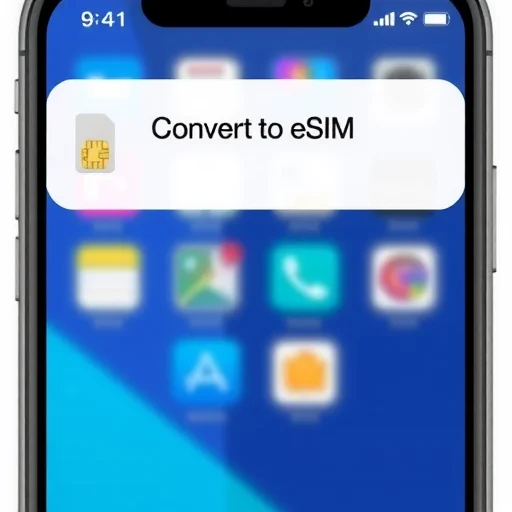
Another friend uses an iPhone 14 in the US, which is eSIM‑only. When she upgraded, she had to convert her physical SIM to an eSIM. Her carrier’s app had a simple “Convert to eSIM” option, and within minutes she was set up. Now she doesn’t worry about SIM card sizes at all.
Ultimately, understanding SIM card sizes is simple once you know the three main physical formats: standard (25×15mm), micro (15×12mm), and nano (12.3×8.8mm). Most modern phones use nano. Multi‑size cards cover all three. And eSIM eliminates physical size concerns entirely. Whether you’re setting up a new phone, traveling, or replacing a lost SIM, knowing which size you need saves time and frustration. SIM card sizes come in three main physical formats: standard (25×15mm), micro (15×12mm), and nano (12.3×8.8mm). Most modern smartphones use nano SIMs. Multi-size punch-out SIMs cover all three. eSIM is a digital alternative with no physical size. Use a SIM cutter to downsize or an adapter to upsize.
MobileTechGuideFINISHED

eSIM is a game-changer for travelers. I use an eSIM for data when traveling and keep my home physical SIM for calls. No more worrying about SIM sizes or losing tiny cards.
This guide saved me! I was about to buy a SIM card for my new phone but had no idea what size to get. The nano SIM info was exactly what I needed. Thank you!
I used a SIM cutter to convert my micro SIM to nano. Worked like a charm. Just line it up carefully. Great alternative to going to the carrier store.
Important tip: If you’re traveling, buy a multi-size SIM. It works in any phone, and you can just pop out the size you need. I’ve used them in multiple countries and they’re perfect.
I had the opposite problem—needed a micro SIM for an older phone but only had a nano. Used a SIM adapter and it worked perfectly. Good to know those exist!